Solutions

SOLUTIONS / BUILD WITH ALLGATE

One idea.Many ways to make it real.

Language, images, video and audio belong in the same product conversation. Build the workflow your users need, with a gateway that keeps model access, keys and usage together.

Build around the task. Choose from the live catalogue.

THE BRIEF

Make something people want to explore.

Prompt → model → possibility
Light refracting through glass sculptures
Generated visual example
AllgateYour model access layer

01 / Language & reasoning

Support assistants · coding · document analysis

Give your product a better answer.

Build assistants, coding tools and document workflows. Keep the prompt, context and review process in your product; use Allgate to reach the language model that fits each task.

  1. 1
    INPUT

    A question, instructions and relevant context

  2. 2
    MODEL

    Choose a live language model and request format

  3. 3
    OUTPUT

    A response your application can display or process

ASSISTANT WORKFLOW / ILLUSTRATION
Your user

Summarize these notes and suggest the next steps.

Your application adds the relevant context
Model response

A concise summary. A useful plan. Ready for your interface.

Illustrative interface; no request is executed here.

02 / Image creation

Product concepts · campaigns · visual exploration

From an idea to a visual direction.

Explore product imagery, editorial concepts and design variations. Start with a clear brief, select an available image model, then review the generated assets before publication.

  1. 1
    INPUT

    A visual brief and model-supported settings

  2. 2
    MODEL

    Generate with an available image model

  3. 3
    OUTPUT

    Image assets to review, download and use

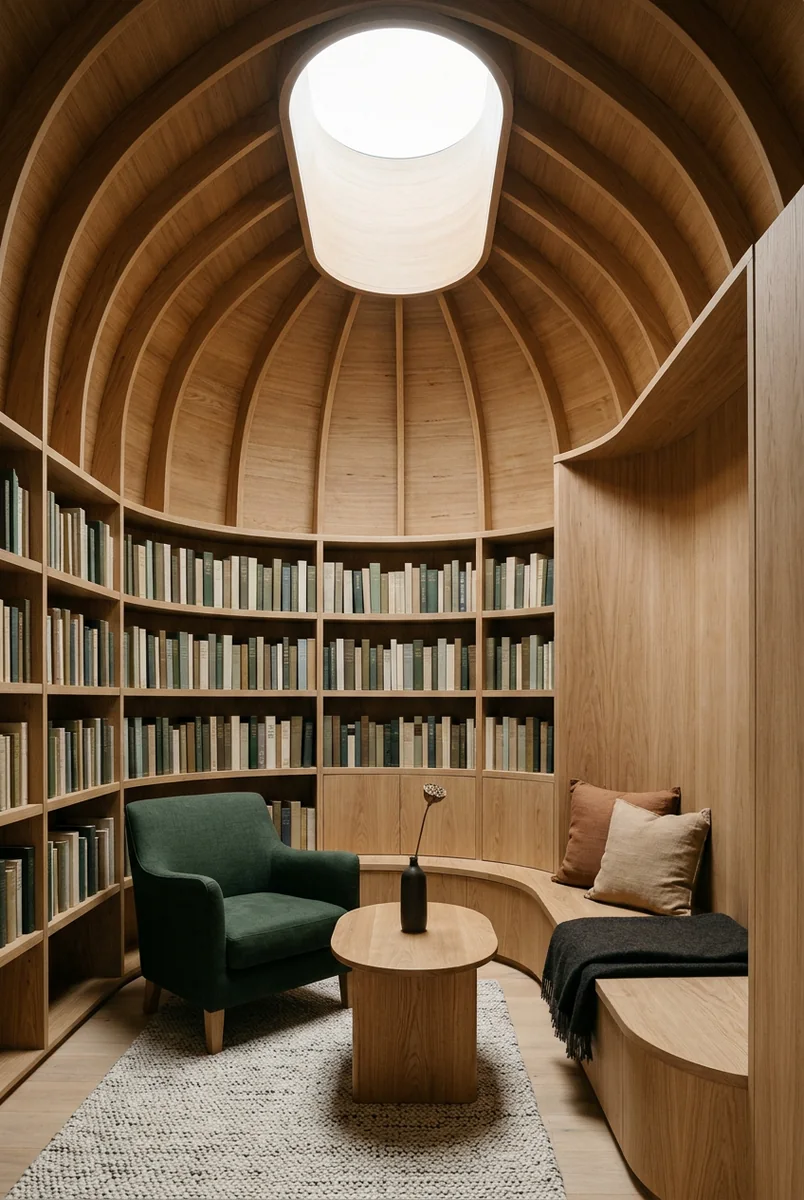
Generated timber reading room under a circular skylight
Visual example / a warm architectural study

03 / Video production

Product films · story concepts · motion studies

Make the idea move.

Turn a scene brief into a video task. Use the parameters supported by your selected model, follow the task status, and retrieve the result when generation finishes.

  1. 1
    INPUT

    Scene, movement and supported reference input

  2. 2
    MODEL

    Create a task, then check its generation status

  3. 3
    OUTPUT

    A completed video result for your application

Generated motion example / cinematic city

04 / Speech & audio

Narration · transcription · voice interfaces

Design for listening, too.

Plan speech generation and transcription alongside your text and media flows. The API reference describes the request formats; live model supply must be checked separately before integration.

  1. 1
    INPUT

    Text for speech, or a supported audio file

  2. 2
    MODEL

    Verify live audio supply and supported formats

  3. 3
    OUTPUT

    Speech audio or a transcription result

AUDIO WORKFLOW / ILLUSTRATION
TEXT → SPEECH

A voice for the story you’re telling.

AUDIO → TEXT

Turn spoken ideas into useful words.

A workflow illustration, not a playable audio sample.

CURRENT MODEL SUPPLYView catalogue

No available model in this category is currently listed. Review the catalogue before planning your launch.

FROM EXPLORATION TO INTEGRATION

Start with one useful workflow.

Validate the model, check the billing unit and connect your first request. Expand the experience when your product is ready.

  1. 01Check availability & priceModel IDs, routes and public pricing
  2. 02Understand access & billingAccount tiers and prepaid usage
  3. 03Connect your applicationAuthentication, SDKs and API reference